How much detail can a pen hold when a mountain drawing gets small? The question came up while I was plotting Lawetlat’la in twenty-four views. On one sheet I could compare the silhouette, the way ridges overlap, and whether there was still room to read the small angle labels. That back and forth between the screen and the page has shaped CDW Studio 0.1.7.
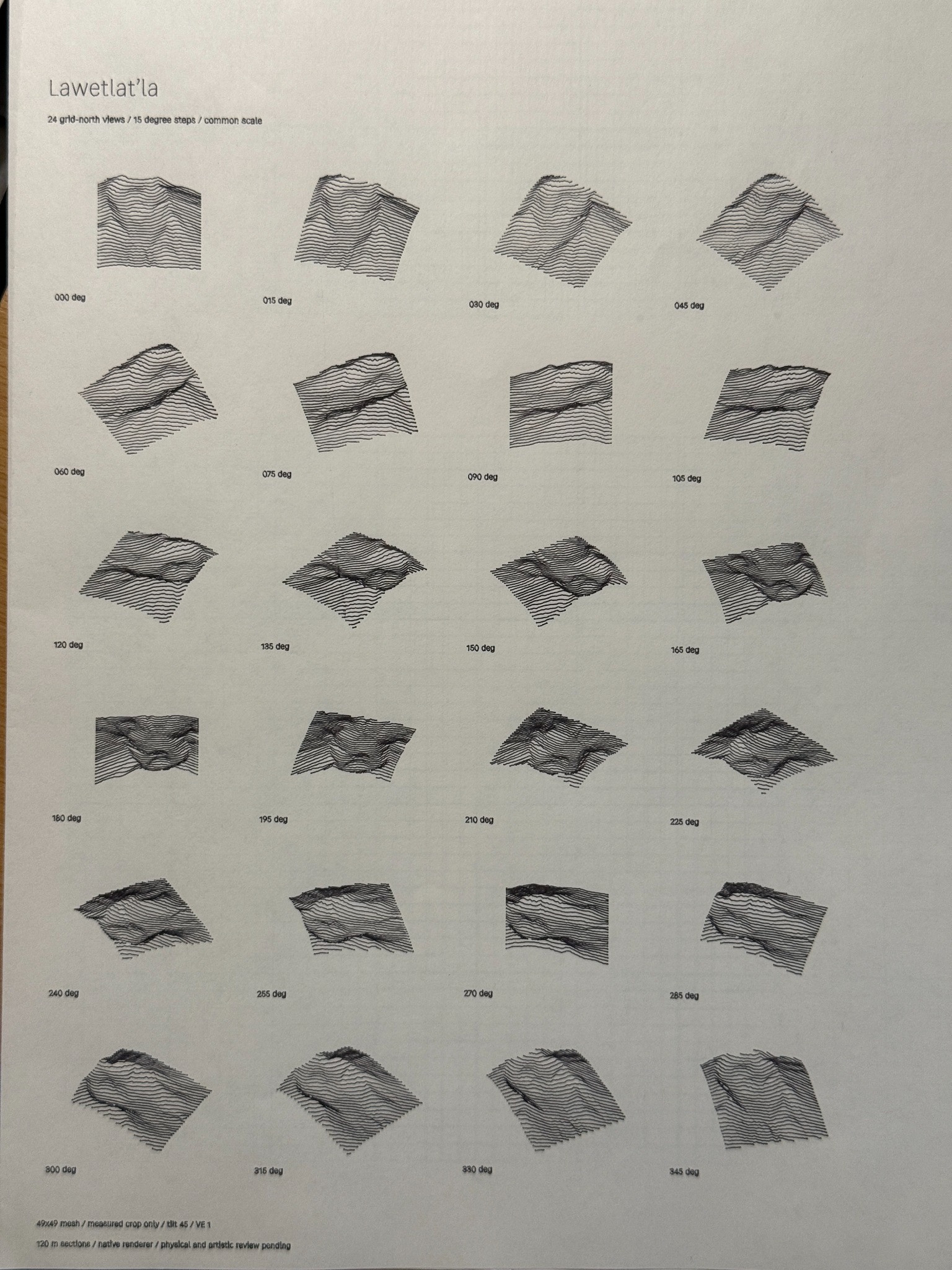
One terrain, different drawings
Terrain Studio lets me work on the view, the light, and the ground as separate parts of a drawing. I can hold the terrain and viewpoint steady and move the light to see where hatching gathers or falls away. With a pale pen on black paper, the sheet can supply the darkest value. The ink has to carry just enough of the ridges for the form to read.
The release also corrects how Ground Wobble follows a line through densely sampled terrain. It now varies along the distance traveled by the pen, which keeps the texture from breaking up at closely spaced points. The moving-light study shows how far the drawing can change while the land stays in place.
Reviewing a drawing before it leaves the workbench
I can bring supported SVG linework back into CDW, check the original stroke colors and widths against the paper, and map them to pens before applying the import. This release handles closed paths and the standard named black stroke within the importer’s supported linework. The imported drawing stays fixed, and CDW preserves the source SVG.
For sharing a study, the digital PNG export keeps the completed preview’s ink and paper colors. The pen-ready SVG keeps the background transparent. I can also save a date in the footer, with or without a project name, and undo the last applied date edit.
CDW Studio 0.1.7 is the current stable release in the private project, with a build for Apple Silicon Macs. The README describes the terrain, import and output workflows. The changelog and release notes record the changes and their limits. Those three links require access to the repository.