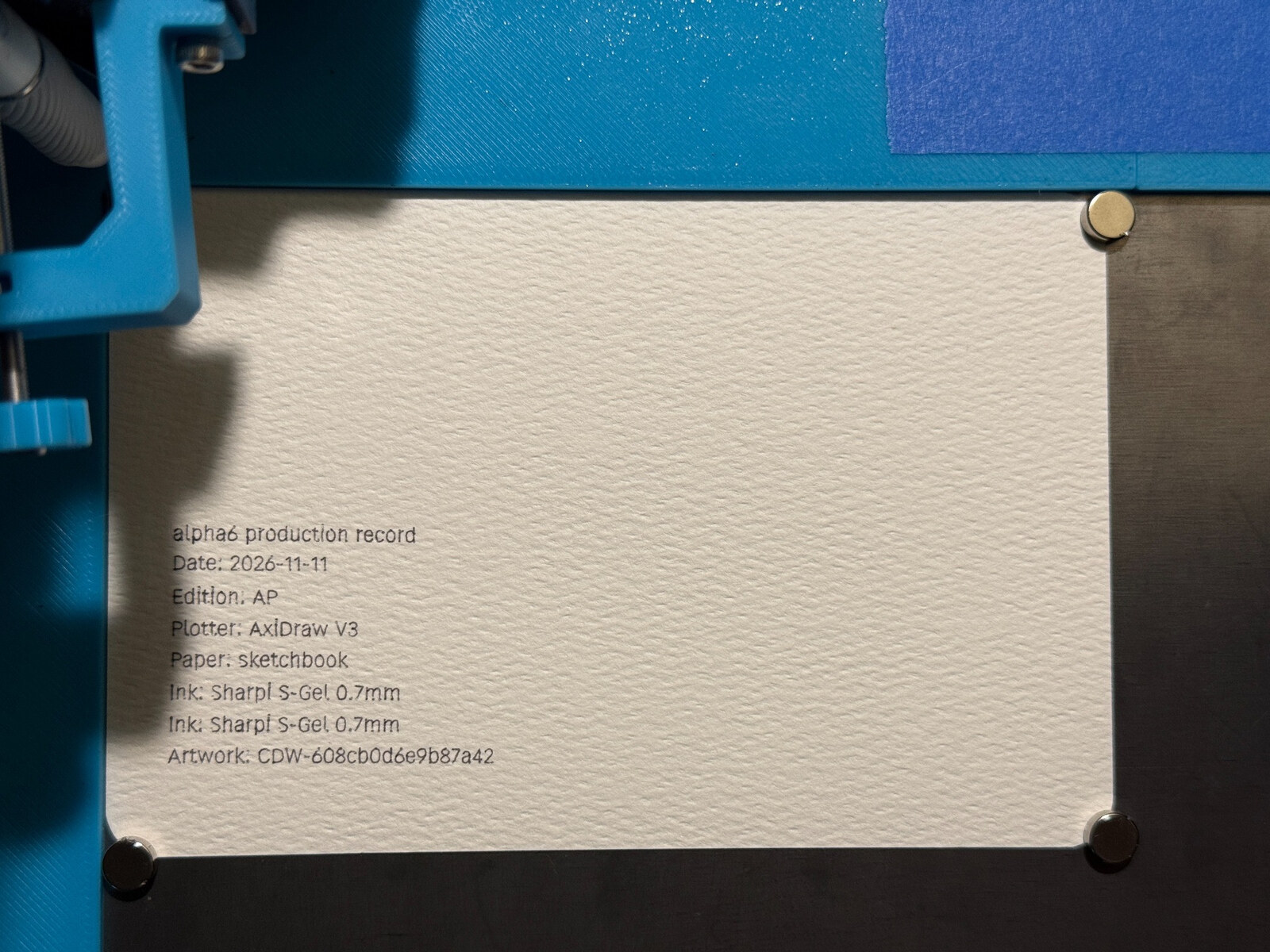
CDW Studio 0.1.9 is released. This update focuses on what happens around a finished drawing: remembering how it was made, preparing a small record for its reverse side, and making the everyday controls easier to use.
The broader workspace and hatching changes were part of 0.1.8. This group builds on that work with production records and a few smaller improvements prompted by testing.
A record that travels with the artwork
Production records capture the accepted drawing’s identity, seeds, paper settings, and logical pens. I can add the physical plotter, paper, pens and inks, date, duration, edition information, and notes, then save a separate record file.
These are manual records. They preserve the details I enter; they do not automatically verify that a plot completed or measure how much ink was used.
The workflow now explains when the artwork needs to be applied before a record can be created. Duration can remain unknown, invalid entries receive a visible explanation, and the suggested filename includes the project name.
Preparing the reverse side
A record can also become a compact SVG proof for plotting on the back of a piece. The controls have a visible Record-back plotting heading, with defaults of 3 mm text size and 10 mm left and bottom insets. The text setting describes the font’s em size, so the actual letter height varies.
The proof remains a separate output: export it, import it as artwork, check the pen and placement, and plot it under supervision. It does not add an automatic second-page sequence or turn the paper for me.
I covered the first physical test in From plot records to folded pages. The gel pen worked well on that heavy postcard stock; another paper and ink combination still needs its own test.
Smaller changes that help
New projects receive fresh seeds without rerandomizing an existing saved drawing. Plot now starts with optimized travel order, while SVG export keeps its existing Original default.
The annotation controls are grouped together, with explanations when a font choice is unavailable. The pending-changes Save confirmation also keeps keyboard focus inside the dialog instead of letting Tab wander into the background.
These are modest changes individually, but they make the path from a drawing to a documented physical piece more straightforward.
Release notes and downloads
The 0.1.9 release on GitHub includes the release notes and build downloads. CDW’s repository is currently private, so this link requires an account with repository access.